
Client page
The client is the foundation of the social services system. In order to register agreements—whether for financial assistance, housing benefits, child protection services, or other services—a client must usually exist in the system. However, it is also possible to link agreements directly to customers, which is primarily used for tasks such as rent collection and similar cases.
A client is in many ways similar to a customer or creditor and stores all basic information about the individual.
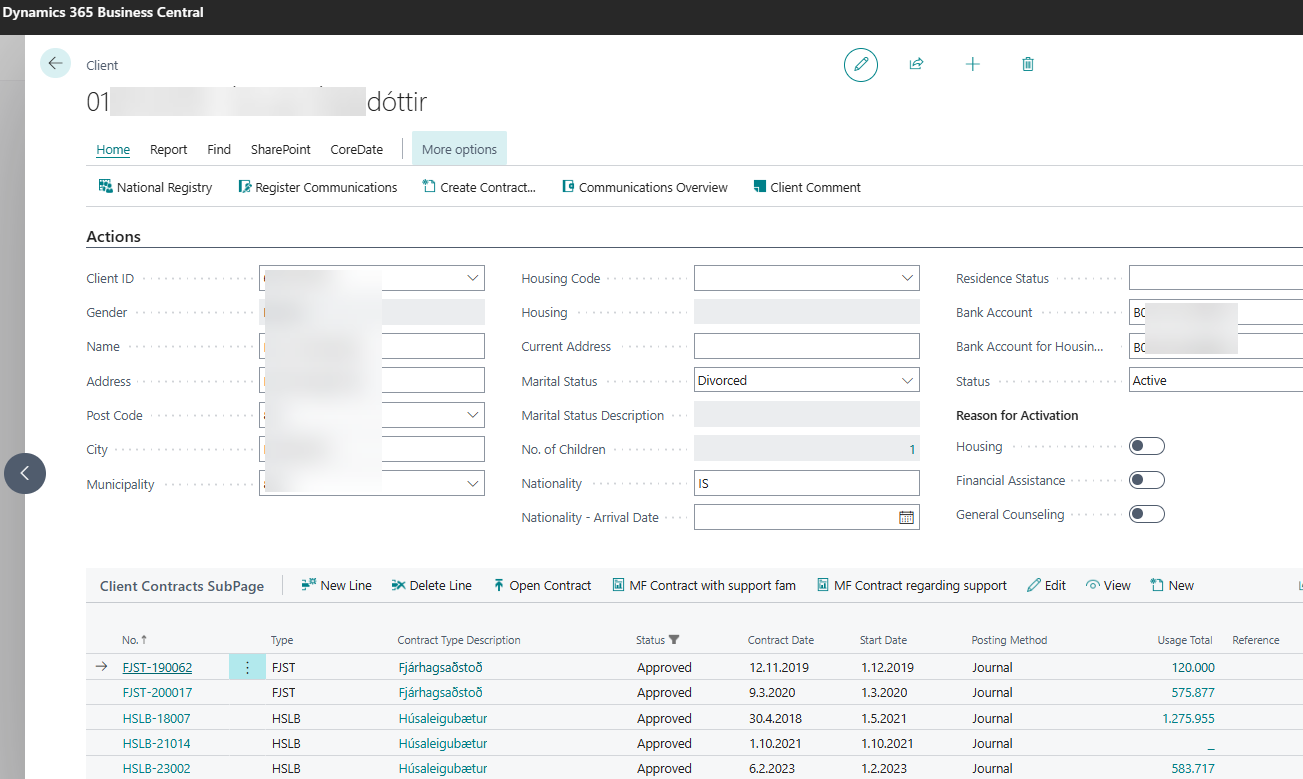
Since the National Registry is connected to the system, all information about the client is automatically retrieved once a new record is created and the national/Client ID number has been entered.
Housing, current residence, and bank account details must be entered manually, but other fields in this view are automatically populated from the National Registry.
At the bottom of the client record, all active agreements associated with the client are displayed. You can access an agreement directly from this view by selecting Open Contract. To register a new contract, click Create Contract, located just above the client’s national ID number.
It is not possible to create agreements for financial assistance, housing benefits, home care, or support services, nor to register information in child protection or services for people with disabilities, unless a client record has first been created.